
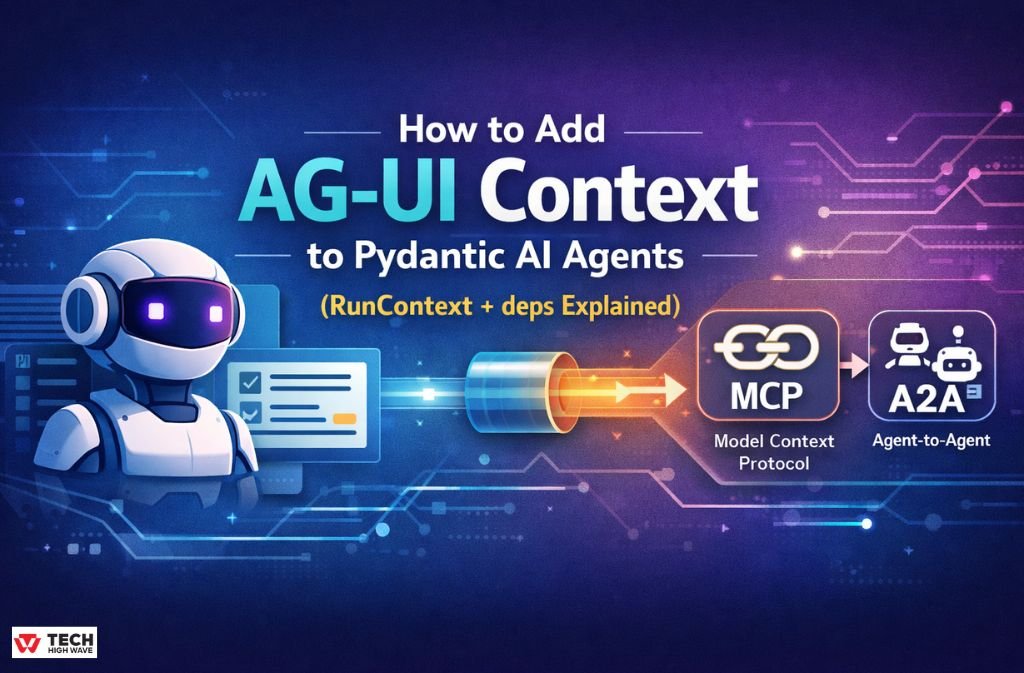
Most AI agents don’t fail because of weak models—they fail because they don’t understand context properly.
You’ve probably seen it happen: an agent gives a generic answer even though the user is clearly in a specific flow, like checkout, onboarding, or product comparison. The missing piece is almost always the same—AG-UI context.
If you’re searching for Pydantic AI add agui context to agent, you’re trying to solve exactly that problem: making your agent aware of what the user is doing right now, not just what they said.
In 2026, context engineering is no longer optional. It is the foundation of production AI systems.
This guide shows you how to correctly implement AG-UI context in Pydantic AI using modern patterns like:
RunContextanddeps- Typed context contracts
- MCP (Model Context Protocol)
- Multi-agent (A2A) communication
- Secure context handling
By the end, you’ll understand how to build agents that are state-aware, safe, and production-ready.
What Is AG-UI Context in Pydantic AI?
AG-UI context is the real-time state of the user interface and session that is passed into an AI agent during execution.
Think of it like this:
- Database = long-term memory
- Model = reasoning engine
- AG-UI context = what the user is doing right now
It includes things like:
- Current page (checkout, dashboard, product view)
- Selected product or item
- User intent (browsing vs buying)
- UI interactions
Simple Reality Check
Without context:
“Here are some general options.”
With context:
“Since you’re in checkout for a premium laptop, here’s a targeted recommendation.”
That difference is everything.
How Pydantic AI Handles Context (2026 Standard)
Modern Pydantic AI does NOT pass context as a loose argument.
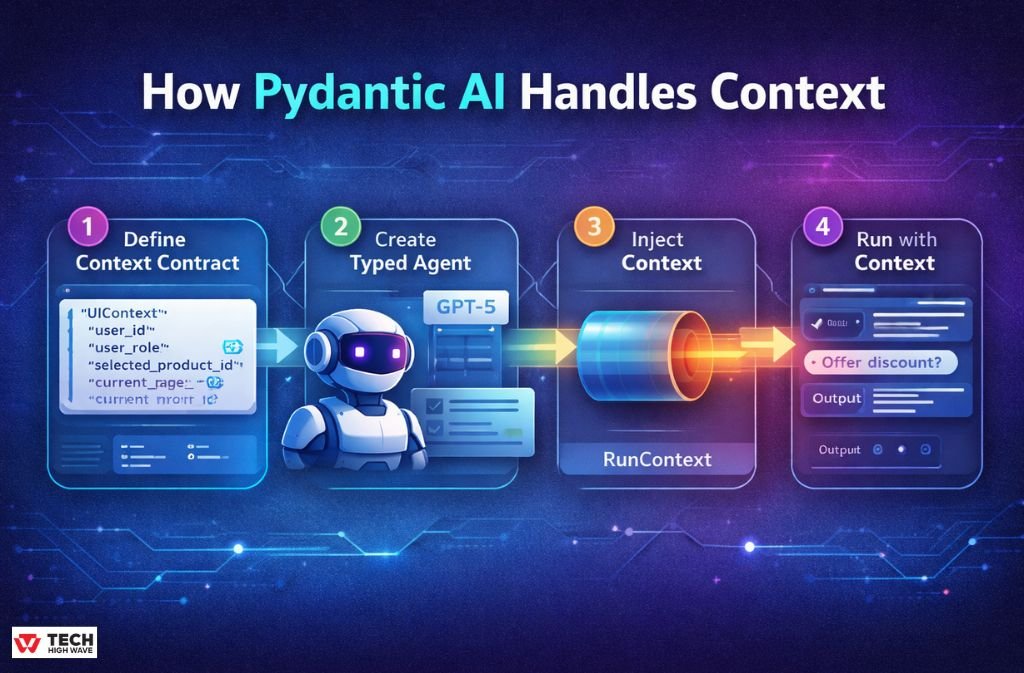
Instead, it uses a structured system:
deps_type→ defines the context contractRunContext→ runtime wrapper for accessdeps→ injected context instance
This creates a strict, predictable system.
Step 1: Define the Context Contract
from pydantic import BaseModelclass UIContext(BaseModel):
user_id: str
user_role: str
selected_product_id: str
current_page: str
This is your source of truth for all UI state.
Step 2: Create a Typed Agent
from pydantic_ai import Agentagent = Agent(
“openai:gpt-5”,
deps_type=UIContext
)
Now your agent expects structured context on every run.
Step 3: Inject Context into System Behavior
from pydantic_ai import RunContext@agent.system_prompt
def inject_context(ctx: RunContext[UIContext]) -> str:
return (
f”User role: {ctx.deps.user_role}. “
f”Current page: {ctx.deps.current_page}. “
f”Selected product: {ctx.deps.selected_product_id}.”
)
This is where context becomes behavioral intelligence.
Step 4: Run the Agent with Context
ui_state = UIContext(
user_id=“123”,
user_role=“premium”,
selected_product_id=“x1”,
current_page=“checkout”
)result = agent.run_sync(
“Should I offer a discount?”,
deps=ui_state
)
Now your agent is fully state-aware.
Context vs Memory vs Dependencies
| Type | Purpose | Scope | Example |
|---|---|---|---|
| Context | Real-time UI state | Per request | Checkout page state |
| Dependencies | External tools/services | Static | Payment API |
| Memory | Long-term storage | Persistent | User preferences |
Key Rule: Context = what is happening now.
MCP (Model Context Protocol) Integration
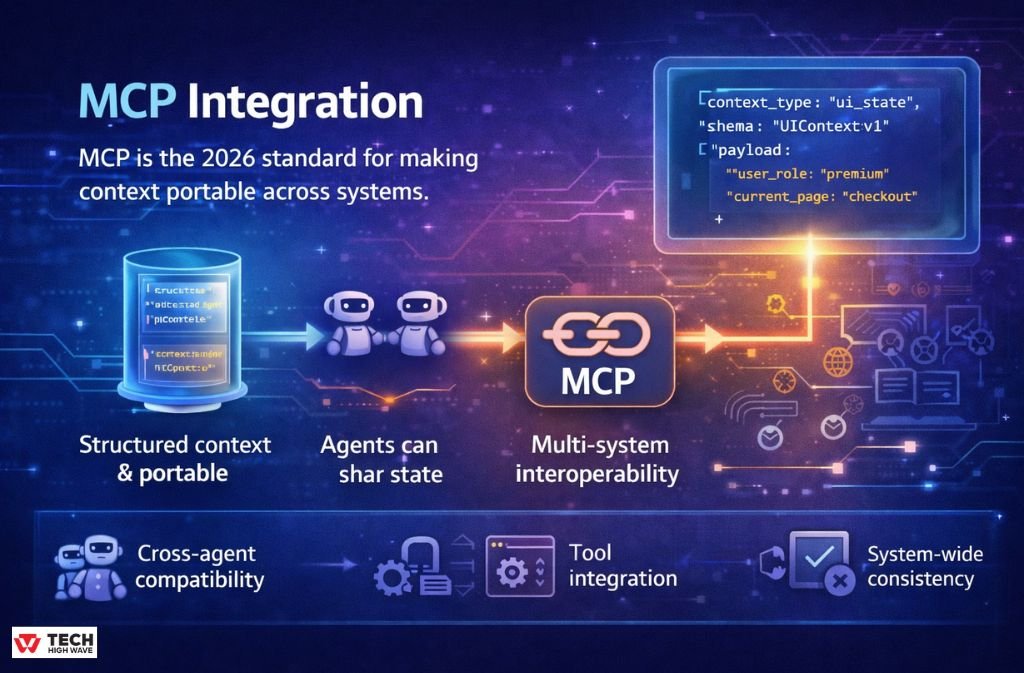
MCP is the 2026 standard for making context portable across systems.
Without MCP:
- Context is app-specific
- Hard to reuse
- Breaks across services
With MCP:
- Context becomes structured and portable
- Agents can share state
- Multi-system interoperability becomes possible
MCP Context Example
{
“context_type”: “ui_state”,
“schema”: “UIContext:v1”,
“payload”: {
“user_role”: “premium”,
“current_page”: “checkout”
}
}
This allows:
- Cross-agent compatibility
- Tool integration
- System-wide consistency
Agent-to-Agent (A2A) Context Flow
Modern AI systems use multiple agents instead of one.
Example Architecture:
- UI Agent → collects context
- Decision Agent → analyzes intent
- Pricing Agent → generates offer
A2A Example
pricing_result = pricing_agent.run_sync(
“Should we offer a discount?”,
deps=ui_state
)
Same context flows across multiple agents.
No duplication. No inconsistency.
Context Security (Critical in 2026)
Context is powerful—but dangerous if trusted blindly.
Risk: Prompt Injection via UI Context
If a user manipulates:
Your agent might incorrectly grant privileges.
Secure Pattern
Never trust frontend-provided roles.
def verify_user(user_id: str) -> str:
return get_role_from_database(user_id)@agent.system_prompt
def secure_context(ctx: RunContext[UIContext]) -> str:
verified_role = verify_user(ctx.deps.user_id)return f”Verified role: {verified_role}“
Security Rules
- Never trust UI role fields directly
- Always validate sensitive data server-side
- Separate display context vs decision context
Error Handling in Context Systems
Pydantic enforces strict validation.
Example Failure
Missing field:
Result:
Safe Execution Pattern
try:
result = agent.run_sync(“…”, deps=ui_state)
except Exception as e:
logger.error(“Context error”, exc_info=e)
Performance Impact of Context
Context directly affects token usage and latency.
| Context Size | Tokens | Latency | Cost |
|---|---|---|---|
| Small | ~50 | Low | Low |
| Medium | ~150 | Medium | Medium |
| Large | 400+ | High | High |
Optimization Rule
More context ≠ , better results.
Only pass what the agent actually needs.
Debugging Context (Highly Underrated)
Always inspect the runtime context.
@agent.system_prompt
def debug(ctx: RunContext[UIContext]) -> str:
print(“CONTEXT:”, ctx.deps)
return f”Page: {ctx.deps.current_page}“
Output Example
This is critical for:
- Debugging silent failures
- Fixing mismatched fields
- Understanding agent behavior
Real-World War Story
We once deployed an agent into a checkout flow.
Everything worked perfectly in testing.
Then production hit.
The agent started saying:
“Would you like to upgrade your subscription?”
Right after the user had already completed payment.
Why?
Because we forgot one field:
No crash. No error. Just bad context.
That single missing field damaged trust.
Comparison: Pydantic AI vs LangChain / LangGraph
| Feature | Pydantic AI | LangChain/LangGraph |
|---|---|---|
| Typing | Strong (Pydantic) | Weak |
| Context Model | Structured (deps) | Flexible |
| Debugging | Easy | Complex |
| Architecture | Contract-based | Graph-based |
When to use:
- Pydantic AI → structured systems
- LangGraph → complex workflows
FAQs
Q. How do you add AG-UI context to a Pydantic AI agent?
You add AG-UI context by defining a Pydantic model, setting it as deps_type in the agent, and passing runtime data through the deps parameter in agent.run_sync(). The agent accesses this structured context via RunContext, enabling state-aware and context-driven responses.
Q. What is RunContext in Pydantic AI?
RunContext in Pydantic AI is a typed runtime object that provides access to dependency data (deps) during agent execution. It allows the agent and its tools to safely access structured context such as user state, session data, or UI inputs while maintaining type safety and validation through Pydantic models.
Q. What is MCP (Model Context Protocol) in AI systems?
MCP (Model Context Protocol) is a standardized framework that defines how context is structured, formatted, and shared across AI systems, tools, and agents. It enables interoperability between different agents and platforms by ensuring context follows a consistent schema, making it portable and reusable across multi-agent architectures.
Q. Why is my Pydantic AI agent ignoring context?
A Pydantic AI agent usually ignores context due to incorrect configuration of deps_type, mismatched field names in the context model, or not properly passing context through the deps parameter. In some cases, missing references to RunContext inside system prompts or tools can also prevent the agent from accessing the runtime context correctly.
Q. Is context stored permanently in Pydantic AI agents?
No, context in Pydantic AI is not stored permanently. It is request-scoped and exists only during the execution of a single agent run. Once the request is completed, the context is discarded unless explicitly stored in external memory or a database system.
Q. Can multiple AI agents share the same context?
Yes, multiple AI agents can share the same context using Agent-to-Agent (A2A) communication patterns. In this setup, one agent generates or receives a structured context object and passes it to another agent, enabling coordinated decision-making across multiple AI systems while maintaining a shared understanding of user state.
Key Takeaways
- AG-UI context = real-time user state
- Use
RunContext + deps_type(not raw context) - MCP enables portable context systems
- A2A enables multi-agent coordination
- Always validate context for security
- Context directly affects cost + performance
For More Visit: TechHighWave

