
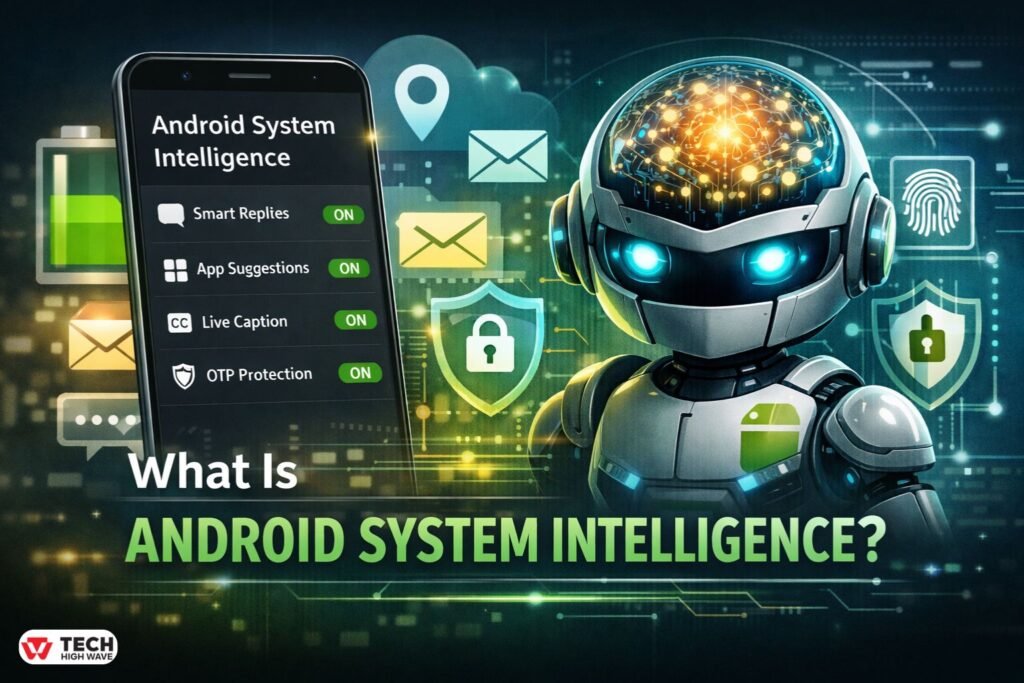
TL;DR, What Is Android System Intelligence
|
Smartphones feel intuitive because dozens of background services quietly coordinate behavior, notifications, predictions, and personalization. One of the most frequently questioned services is what is Android System Intelligence and why it appears in system settings with access to location, app usage, and device data.
The concern usually begins in the same place: battery usage statistics, location permissions, or a sudden appearance in the app list after an Android update. The name sounds technical. Some assume tracking. Others wonder whether disabling it improves privacy or performance.
This guide explains what Android System Intelligence actually does, how it works, whether it is safe, how it affects battery and data usage, and how to manage it properly across different Android devices.
What Is Android System Intelligence?
Android System Intelligence is a core system component developed by Google for devices running the Android operating system. It supports intelligent features that make the device more responsive and context-aware.
This is not a traditional app. It functions as a background system-level service deeply integrated into Android’s framework.
It powers features such as:
- Live Caption
- Smart text selection
- App predictions
- Smart replies in messaging
- Notification ranking
- Contextual suggestions in the share menu
- Intelligent clipboard actions
- Proactive contextual prompts (Magic Cue in newer versions)
Beginning with Android 15 and continuing into Android 16, Android System Intelligence also plays a role in enhanced notification safety — including automatic redaction of one-time passwords (OTPs) from notification listeners to prevent malicious apps from reading sensitive codes.
It replaced earlier components such as “Device Personalization Services” in Android 12 and later, reflecting expanded on-device machine learning capabilities.
How Android System Intelligence Works
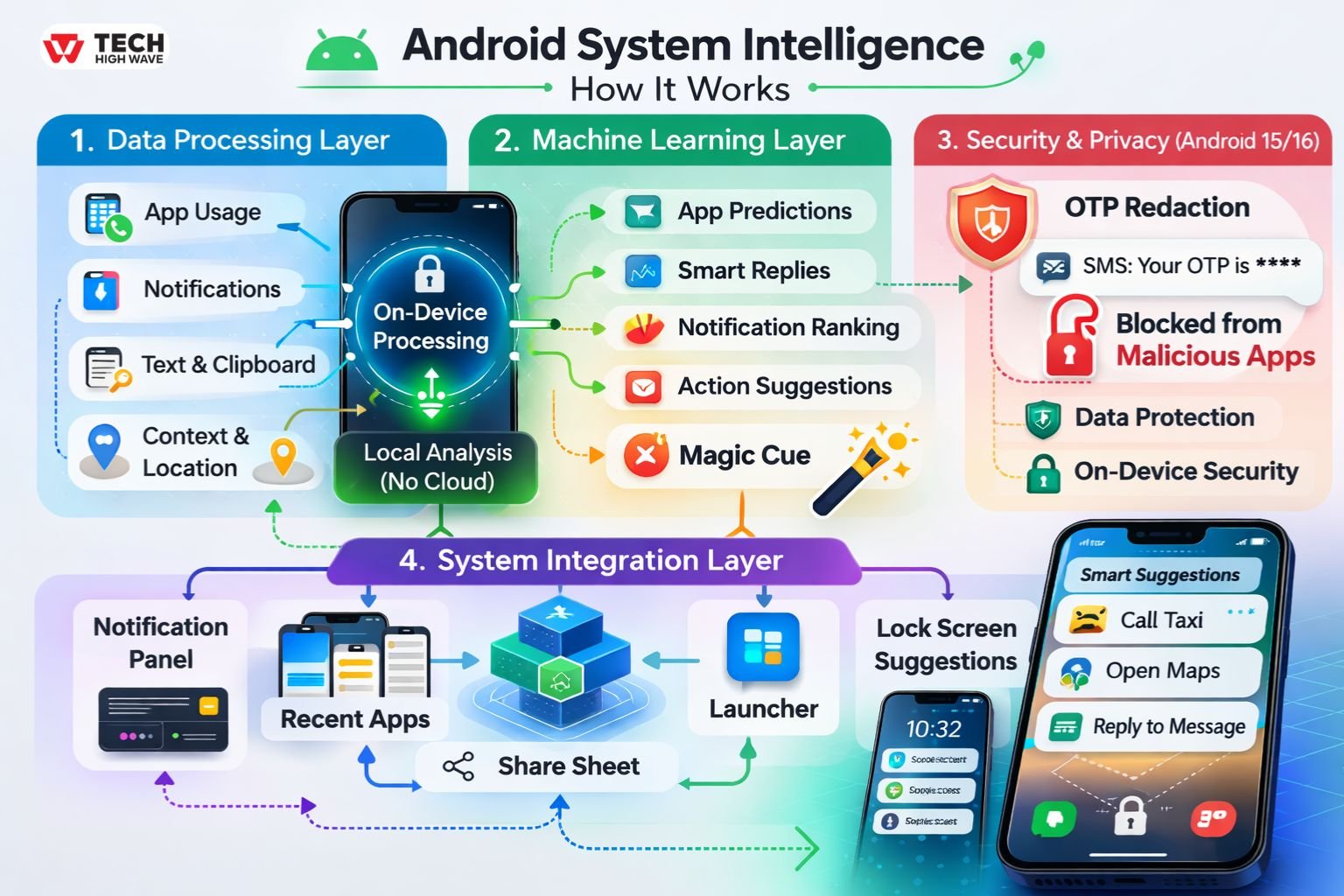
Android System Intelligence operates across three core layers.
-
Data Processing Layer
The system analyzes:
- App usage patterns
- Notification interactions
- Text selections
- Clipboard activity
- Contextual device behavior
- Location signals (when permission is granted)
Most analysis happens on-device, not in the cloud. This local processing reduces external data transmission and improves response speed.
-
Machine Learning Layer
Embedded machine learning models allow the system to:
- Predict the next likely app
- Suggest smart replies
- Rank important notifications higher
- Recommend contextual actions (open map, call number, track shipment)
- Trigger proactive contextual prompts through Magic Cue
Magic Cue represents a shift toward anticipatory assistance. Instead of waiting for input, the system can surface relevant suggestions based on context — such as calendar events, travel confirmations, or copied information.
-
Security & Privacy Enhancement Layer (Android 15/16)
With Android 15 and 16, Android System Intelligence supports enhanced notification protection. One major addition is OTP redaction.
When a one-time password arrives via SMS or app notification, the system can automatically prevent other apps with notification-listener access from reading that code. This reduces the risk of credential theft by malicious apps.
This marks an evolution from simple personalization toward active security reinforcement.
-
System Integration Layer
Android System Intelligence connects directly with:
- The notification panel
- The recent apps screen
- The system share sheet
- The launcher
- Lock screen suggestions
Because of this deep integration, it cannot be removed like a typical third-party application.
Is Android System Intelligence Safe?
Yes. Android System Intelligence is a legitimate system service built into Android. It operates within Android’s sandboxed security model and respects user-level permission controls.
Key safety points:
- Primarily processes data on-device
- Does not have independent direct network access
- Cannot access data beyond granted permissions
- Cannot independently bypass Android security
- Updated through official system update channels
It is not spyware. It is part of Android’s personalization and security framework.
Does Android System Intelligence Use Battery or Data?
Battery Usage
Battery impact is typically low. It runs lightweight machine learning models optimized for mobile hardware.
Temporary higher usage may occur:
- After Android system updates
- After clearing app data
- When rebuilding personalization models
Persistent high battery drain is uncommon. If it appears, clearing cache or restarting the device usually resolves it.
Data Usage
Most operations occur locally. Minimal data may be used during:
- System updates
- Google Play system component updates
- Model improvement distribution
It does not continuously transmit user behavior externally.
Android System Intelligence vs Google Play Services
| Feature | Android System Intelligence | Google Play Services |
| Purpose | On-device personalization & smart features | Core system services framework |
| Machine learning | Local predictive models | Supports APIs & cloud services |
| Removable | No | No |
| Data processing | Mostly on-device | Hybrid (device + cloud) |
| Direct network access | No independent direct access | Yes |
| User visibility | Limited | Widely visible |
Google Play Services provides APIs and background infrastructure. Android System focuses primarily on intelligent on-device prediction and contextual automation.
The added distinction regarding direct network access reinforces its limited cloud dependency.
Also Check: Technology News OTVPTech: Credibility Analysis, and 2026 Evaluation Guide
Key Features to Look for in Android System Intelligence
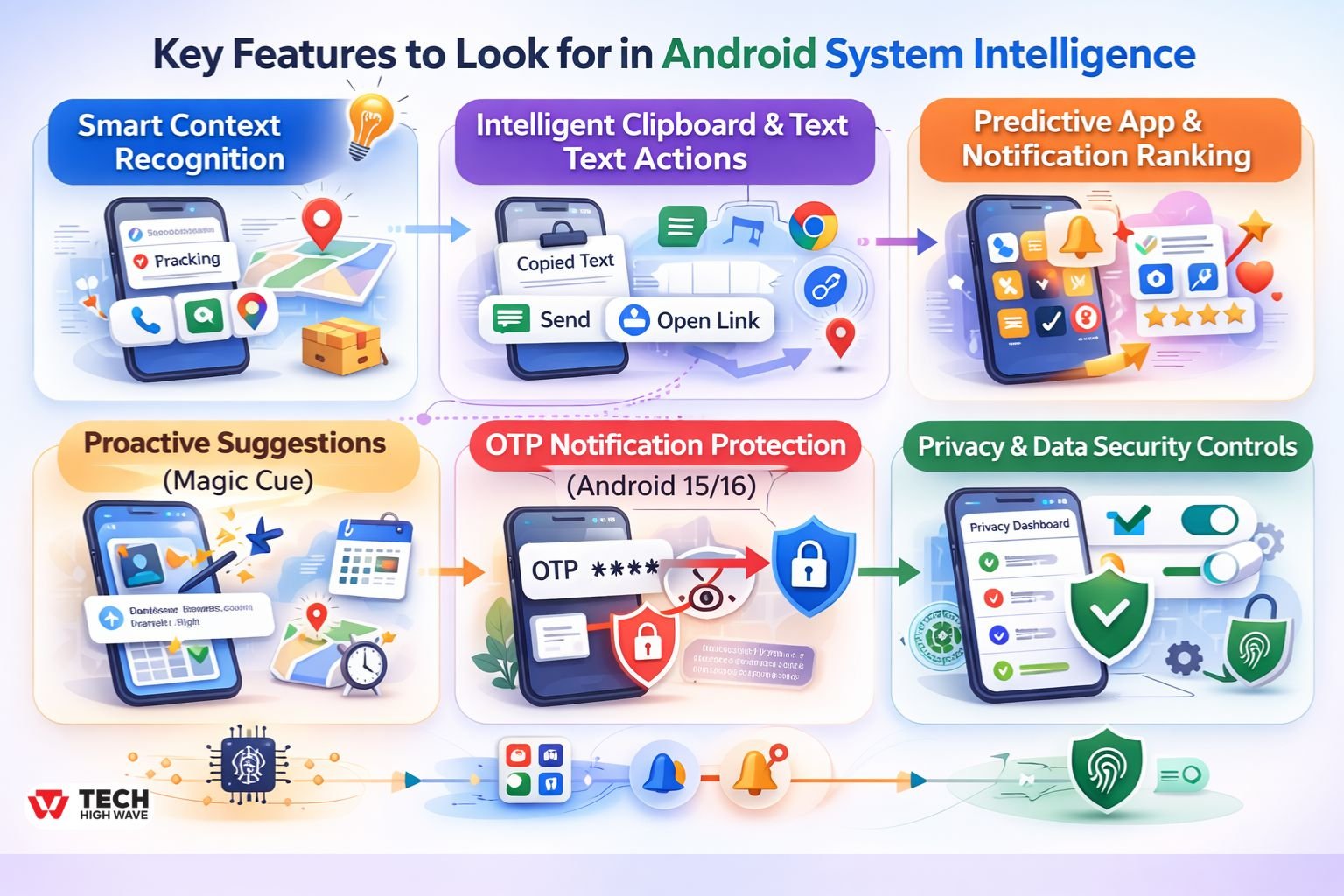
Smart Context Recognition
Recognizes phone numbers, addresses, and tracking numbers in text. Offers quick actions like calling or opening maps.
Why it matters: reduces friction during everyday tasks.
Intelligent Clipboard & Text Actions
Provides contextual actions after copying text. Suggests opening links, sending messages, or navigating to locations.
Why it matters: increases productivity through automation.
Predictive App & Notification Ranking
Learns usage habits to surface frequently used apps and prioritize relevant notifications.
Why it matters: reduces clutter and improves focus.
Proactive Suggestions (Magic Cue)
Surfaces contextual prompts without manual input.
Why it matters: shifts the device from reactive to anticipatory assistance.
OTP Notification Protection (Android 15/16)
Automatically redacts one-time passwords from other apps’ notification listeners.
Why it matters: protects login codes from malicious apps attempting interception.
Privacy & Data Security Controls
Integrates with Android’s permission dashboard.
Why it matters: allows granular control over location, notification access, and usage tracking.
Best Uses for Android System Intelligence
Smart Communication
Smart replies shorten response time. Frequently contacted people appear higher in share sheets.
Productivity Workflows
Copying a shipping number may suggest tracking in a browser. Selecting an address may trigger navigation instantly.
Accessibility Support
Live Caption generates captions for media in real time.
Security Reinforcement
OTP redaction adds an additional protective layer during login and verification processes.
Adaptive Personalization
Over time, the system adapts to behavioral patterns, making the device feel intuitive without manual customization.
Who Should Use Android System Intelligence?
Ideal Users
- Everyday Android users
- Professionals relying on predictive suggestions
- Accessibility-dependent users
- Users benefiting from OTP security protection
Users Who May Restrict It
- Privacy-focused users minimizing personalization
- Users troubleshooting unusual battery behavior
- Those using custom Android ROMs
Selective restriction is usually more practical than full disabling.
How to Disable or Restrict Android System Intelligence
Android System cannot be fully uninstalled, but it can be managed.
Step-by-Step (General Android Path)
- Open Settings
- Go to Apps
- Tap See All Apps
- Select Android System
- Tap Permissions
- Adjust location or other permissions
To limit background activity:
- Open Battery
- Locate Android System
- Set to “Restricted” (if available)
Clearing Cache vs Clearing Storage
- Clear Cache: Safe troubleshooting step.
- Clear Storage: Resets personalization data.
Important caution: On Pixel devices, clearing storage may erase the “Now Playing” history, which tracks recognized music from ambient audio.
Storage clearing should be used only when troubleshooting persistent issues.
Why Does Android System Intelligence Need Location?
Location improves contextual predictions such as:
- Nearby place suggestions
- Context-aware notifications
- Relevant search shortcuts
Location access is optional. Revoking it reduces location-based personalization without affecting core phone functionality.
Common Problems and Troubleshooting
Android System Intelligence Battery Drain
- Check for recent updates
- Clear cache
- Restart device
- Restrict background usage
Keeps Stopping Error
- Clear cache
- Ensure system updates are installed
- Avoid disabling related system services
Privacy Concerns
- Review permissions in Privacy Dashboard
- Disable location access
- Restrict notification access
Most concerns are resolved through structured permission review rather than full disabling.
Common Mistakes to Avoid
Assuming it is malware without reviewing permissions.
Installing unofficial APK versions from third-party sources.
Clearing storage without understanding that personalization data — including Pixel Now Playing history — may be erased.
Disabling related system services that may affect intelligent features.
Future Trends in Android System Intelligence (2026 Outlook)
Stronger On-Device AI
More predictive models will operate entirely locally.
Deeper Security Integration
OTP protection and sensitive-notification redaction may expand further.
Smarter Context Automation
Magic Cue-like proactive features are expected to evolve toward broader cross-app awareness.
Greater Transparency
Privacy dashboards will likely provide clearer insights into intelligent system features and data usage.
The trajectory suggests smarter assistance paired with tighter security boundaries.
Frequently Asked Questions
Q1: What is Android System Intelligence used for?
Android System Intelligence powers smart replies, app predictions, Live Caption, proactive suggestions, and OTP protection features.
Q2: Is Android System Intelligence safe?
Yes. It is a built-in Android system component developed by Google and operates within Android’s security framework.
Q3: What happens if Android System Intelligence is disabled?
Predictive suggestions, contextual prompts, and some security enhancements may stop working, but core phone functions remain intact.
Q4: Why is Android System Intelligence causing battery drain?
Temporary battery usage may occur after updates or when rebuilding personalization models. Persistent drain is uncommon and often resolved by clearing cache.
Q5: Does Android System have direct internet access?
It does not operate as an independently network-driven app. Most processing happens on-device with limited update-related connectivity.
Q6: Can Android System Intelligence be uninstalled?
No. It is embedded in the Android system and cannot be fully removed without modifying system software.
Q7: What happens if storage is cleared?
Clearing storage resets personalization data and may delete Pixel Now Playing history. Clearing cache is safer for troubleshooting.
Final Thoughts
Understanding what is Android System Intelligence removes the confusion created by its technical name. It is not a hidden tracker but a system-level intelligence layer that enhances personalization, productivity, and now even login security.
For most users, keeping it enabled with carefully reviewed permissions provides the strongest balance between privacy, safety, and convenience.
Also Read: New Software Name 8tshare6a: Features, System Requirements & 2026 Complete Guide

