

If you’ve been around Raspberry Pi long enough, you probably remember when software NOOBS felt like a safety net.
Back then, setting up a Pi wasn’t obvious. Flashing tools were clunky. SD cards failed silently. One wrong step and the screen stayed black. NOOBS solved that anxiety with something simple: a menu. You powered on the Pi, clicked an option, and watched it install an operating system without asking technical questions.
That experience mattered. It brought millions of beginners into the ecosystem.
But the Raspberry Pi world has changed a lot since then. New boards arrived. The setup tools improved. Expectations shifted. And NOOBS quietly stopped evolving.
So if you’re searching for software NOOBS today, you’re likely stuck between nostalgia and confusion. Is it still usable? Is it still supported? Or are you about to follow advice that made sense five years ago but doesn’t anymore?
This guide answers those questions honestly — without pretending NOOBS is something it isn’t.
What Software NOOBS Really Is (And Why People Misunderstand It)
NOOBS stands for New Out Of Box Software, which is a slightly misleading name.
It is not an operating system.
It never was.
NOOBS is a bootable installer manager. Think of it as a temporary environment that runs before anything else exists on the SD card. Its job is to help you install an operating system, then step aside.
That distinction sounds obvious, but it trips up beginners constantly. Many people assume NOOBS is Raspberry Pi OS. It isn’t. It installs Raspberry Pi OS (or something else), then disappears into the background.
Once the OS is installed, most users never see NOOBS again unless something breaks.
Why NOOBS Was So Important in the First Place
To understand why people still search for NOOBS, you have to remember what setup used to look like.
Years ago:
-
Flashing tools were inconsistent across platforms
-
The headless setup was intimidating
-
Tutorials assumed Linux experience
-
One corrupted SD card meant starting over
NOOBS removed all of that friction.
You didn’t need a second computer running special software, and there was no need to understand partitions or image files. You simply copied the files to an SD card and powered on the Pi.
For classrooms, workshops, and first-time hobbyists, that simplicity was huge.
How NOOBS Software Works (What Actually Happens)
NOOBS works in a very literal, mechanical way. There’s no mystery.
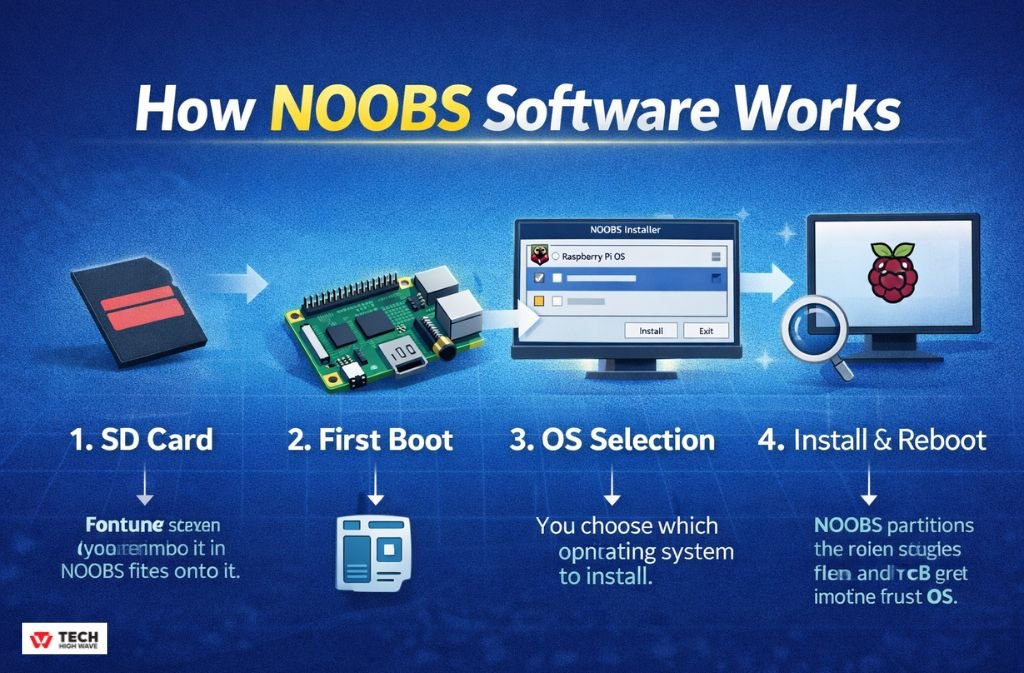
Step 1: The SD Card
You format an SD card as FAT32 and copy the NOOBS files onto it. These files include a small recovery environment.
If the files aren’t in the root directory, nothing boots. This is where many beginners fail.
Step 2: First Boot
When the Raspberry Pi powers on, the firmware looks for a recovery loader. NOOBS provides one, so instead of a desktop, you get a graphical menu.
This menu is the entire point of NOOBS.
Step 3: OS Selection
You choose which operating system to install.
Historically, options included:
-
Raspberry Pi OS
-
LibreELEC
-
OSMC
-
Other niche systems (varied by version)
NOOBS then prepares the SD card automatically.
Step 4: Installation and Reboot
NOOBS partitions the card, copies files, and reboots into the installed OS. From this point on, NOOBS fades into the background.
Most users never interact with it again.
Full NOOBS vs NOOBS Lite (Still Confuses People)
This distinction caused more support issues than almost anything else.
Full NOOBS
-
Includes Raspberry Pi OS files
-
Works offline
-
Larger download
NOOBS Lite
-
Only includes the installer menu
-
Requires an internet connection
-
Smaller download
People would download Lite, plug it into a Pi without internet, and assume something was broken. In reality, NOOBS was just waiting for files it couldn’t reach.
That confusion never really went away.
Also Read: How to Update ETSJavaApp by eTrueSports in 2026 (Fix Crashes & Missing Features)
Is Software NOOBS Still Supported in 2026?
Here’s the blunt version.
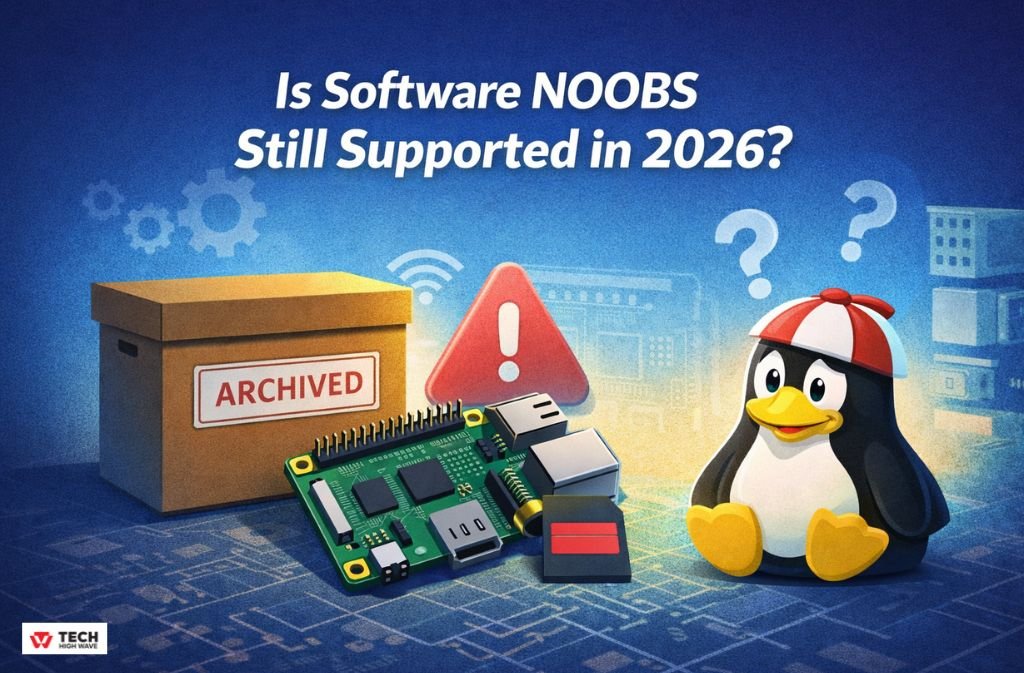
NOOBS still exists, but it is no longer actively developed.
As of 2026:
-
The project is archived
-
Updates are rare or nonexistent
-
New Raspberry Pi boards are not a priority
-
Official guidance points elsewhere
This doesn’t mean NOOBS suddenly fails. It means it doesn’t adapt.
For beginners, that distinction matters. Tools that don’t adapt eventually become friction points.
Why Raspberry Pi Imager Took Over
Raspberry Pi Imager didn’t just replace NOOBS. It solved problems NOOBS never tried to address.
With Imager, you can:
-
Preconfigure Wi-Fi
-
Enable SSH before first boot
-
Set usernames and passwords
-
Choose 32-bit or 64-bit OS builds
-
Prepare cards for the latest hardware
All before the SD card ever touches a Raspberry Pi.
NOOBS can’t do that. It assumes setup happens after installation. That made sense years ago. It’s inefficient now.
NOOBS vs Raspberry Pi Imager (Real-World Comparison)
| Aspect | NOOBS | Raspberry Pi Imager |
|---|---|---|
| Development | Archived | Active |
| Beginner friendliness | High | High |
| Modern hardware support | Weak | Strong |
| Offline installs | Yes | Limited |
| Pre-boot configuration | No | Yes |
| Classroom reuse | Good | Mixed |
This table explains why NOOBS hasn’t completely vanished — but also why it shouldn’t be your default choice.
When NOOBS Still Makes Sense (Rare, But Real)
There are situations where NOOBS still earns its keep.
-
Offline classrooms where internet access isn’t guaranteed
-
Locked-down computers where installing imaging software isn’t allowed
-
Older Raspberry Pi boards already standardized on NOOBS
-
Legacy training materials that haven’t been updated
In these environments, predictability beats novelty.
For everyone else, NOOBS is usually a detour.
A Note on PINN (NOOBS’ Spiritual Successor)
If you liked NOOBS for one specific reason — multi-boot — there’s a reason people mention PINN.
PINN is a community-maintained fork that continues where NOOBS stopped. It supports newer boards, more operating systems, and modern firmware quirks.
It’s not official.
It’s not beginner-proof.
But it’s alive.
Most beginners don’t need it. Advanced users sometimes do.
How to Install NOOBS Today (If You Decide To)
If you’re determined to use NOOBS anyway, do it carefully.
What You Need
-
Raspberry Pi (older models recommended)
-
SD card (16–32GB works best)
-
Proper power supply
-
Keyboard, mouse, display
Installation Steps (Condensed)
-
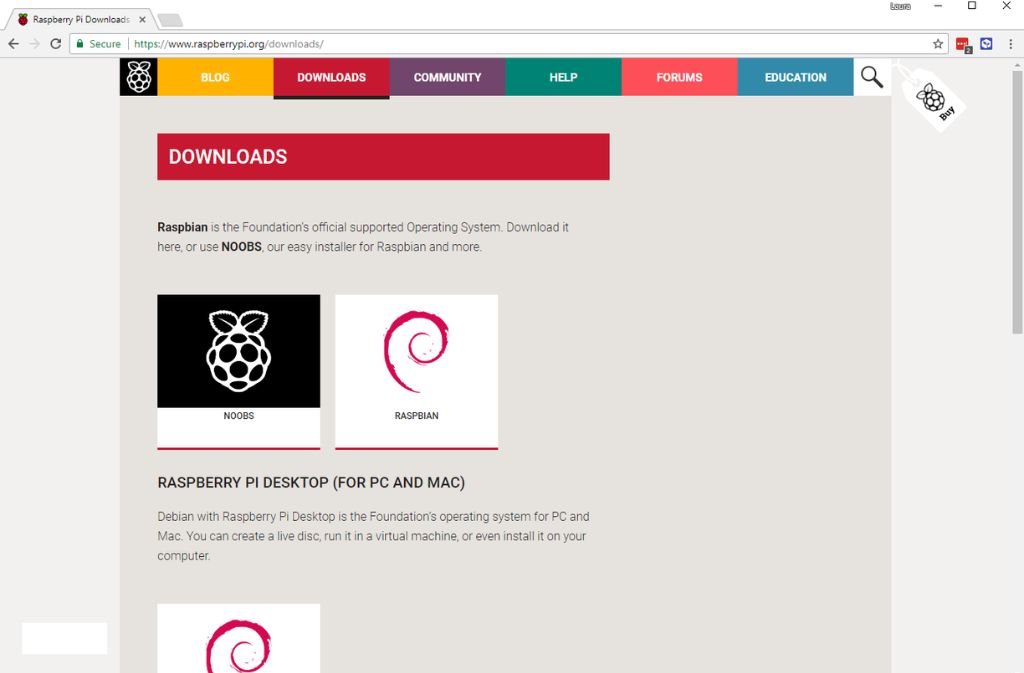
Download the archived NOOBS ZIP
-
Format the SD card as FAT32
-
Copy the contents, not the folder
-
Confirm
recovery.elfis in the root -
Insert card and power on
f it boots to a menu, you’re fine. If it doesn’t, something is wrong with the SD card — not the Pi. For official installation instructions and troubleshooting, check the Raspberry Pi NOOBS guide.
Mistakes That Still Waste Hours
These come up repeatedly:
-
Using exFAT because the card is large
-
Powering the Pi with a phone charger
-
Following Pi 2 tutorials on Pi 5 hardware
-
Expecting NOOBS to update automatically
-
Mixing NOOBS versions with newer firmware
NOOBS is forgiving, but not psychic.
Also Check: Is Coomersu Legit? What You Should Know Before Visiting
Why Beginners Struggle More With NOOBS Now
Ironically, the tool built for beginners now confuses because the ecosystem moved on.
Most new tutorials assume Raspberry Pi Imager. Moreover, most troubleshooting guides don’t mention NOOBS at all.
That leaves beginners stuck between old instructions and new expectations.
So… Should You Use Software NOOBS in 2026?
For most people, the answer is no.
Not because NOOBS is broken — but because it’s frozen. It doesn’t reflect how Raspberry Pi is meant to be used today.
If you’re starting fresh, use tools that are still being shaped around beginners now, not beginners from a decade ago.
If you’re revisiting old hardware or teaching in constrained environments, NOOBS can still do exactly what it always did.
Just don’t expect it to grow with you.
FAQs
Q. Is NOOBS an operating system?
No. NOOBS is not an operating system. It is a bootable installer that helps you choose and install an operating system—such as Raspberry Pi OS—on a Raspberry Pi. After installation, NOOBS does not function as the OS itself.
Q. Is NOOBS discontinued?
NOOBS has not been formally discontinued, but it is now considered archived and inactive. It no longer receives regular updates, and newer Raspberry Pi boards are no longer designed around it. For most users, it’s treated as legacy software.
Q. Does NOOBS work without an internet connection?
Yes—but only the Full version. Full NOOBS includes the operating system files and can install them offline. NOOBS Lite requires an internet connection to download the OS during setup.
Q. Is NOOBS safe to use in 2026?
Yes, NOOBS is safe, but it is outdated. While it still works on older Raspberry Pi models, it lacks ongoing support and optimization for newer hardware. It’s best used for legacy systems or offline classroom setups.
Q. What is the best alternative to NOOBS today?
For most users, Raspberry Pi Imager is the best alternative. It is actively maintained, supports modern Raspberry Pi boards, and allows you to preconfigure Wi-Fi, user accounts, and SSH before the first boot.
Q. Does NOOBS work on Raspberry Pi 5?
NOOBS may boot on some newer boards, but it is not optimized or recommended for Raspberry Pi 5. Raspberry Pi Imager is the officially supported tool for current hardware.
Q. Should beginners still use NOOBS?
In most cases, no. Beginners are better served by Raspberry Pi Imager, which reflects current setup workflows and receives ongoing updates. NOOBS is mainly useful for older devices or constrained environments.
Q. Why do people still search for NOOBS?
Many tutorials, classrooms, and older projects still reference NOOBS. As a result, new users often encounter it while following outdated setup guides.
Final Takeaway
NOOBS was a bridge.
It did its job.
In 2026, most people don’t need that bridge anymore — and standing on it too long just slows you down.
Related: Foullrop85j.08.47h Gaming Explained: Complete 2026 Guide

