
TL;DR: Can You Play DVDs on PS5?· ✅ Yes — if your PS5 has a disc drive · ❌ No — original Digital Edition models cannot play DVDs · 🧩 Some Slim/Pro Digital models can add an official detachable disc drive · 🌐 One-time internet activation may be required · 🔒 DVDs are region locked · 🚫 Audio CDs are not supported |
Physical media hasn’t disappeared. Many households still own DVD movies, boxed TV series, fitness programs, and older releases that never made it to streaming.
When upgrading consoles, one question comes up immediately.
Can you play DVDs on PS5?
The short answer: Yes — but only if your PS5 has a disc drive.
In 2026, the answer is slightly more nuanced than it was at launch. With Slim and Pro hardware revisions supporting modular disc drives, some Digital owners can now upgrade later — something that wasn’t possible with the original models.
This guide explains everything clearly.
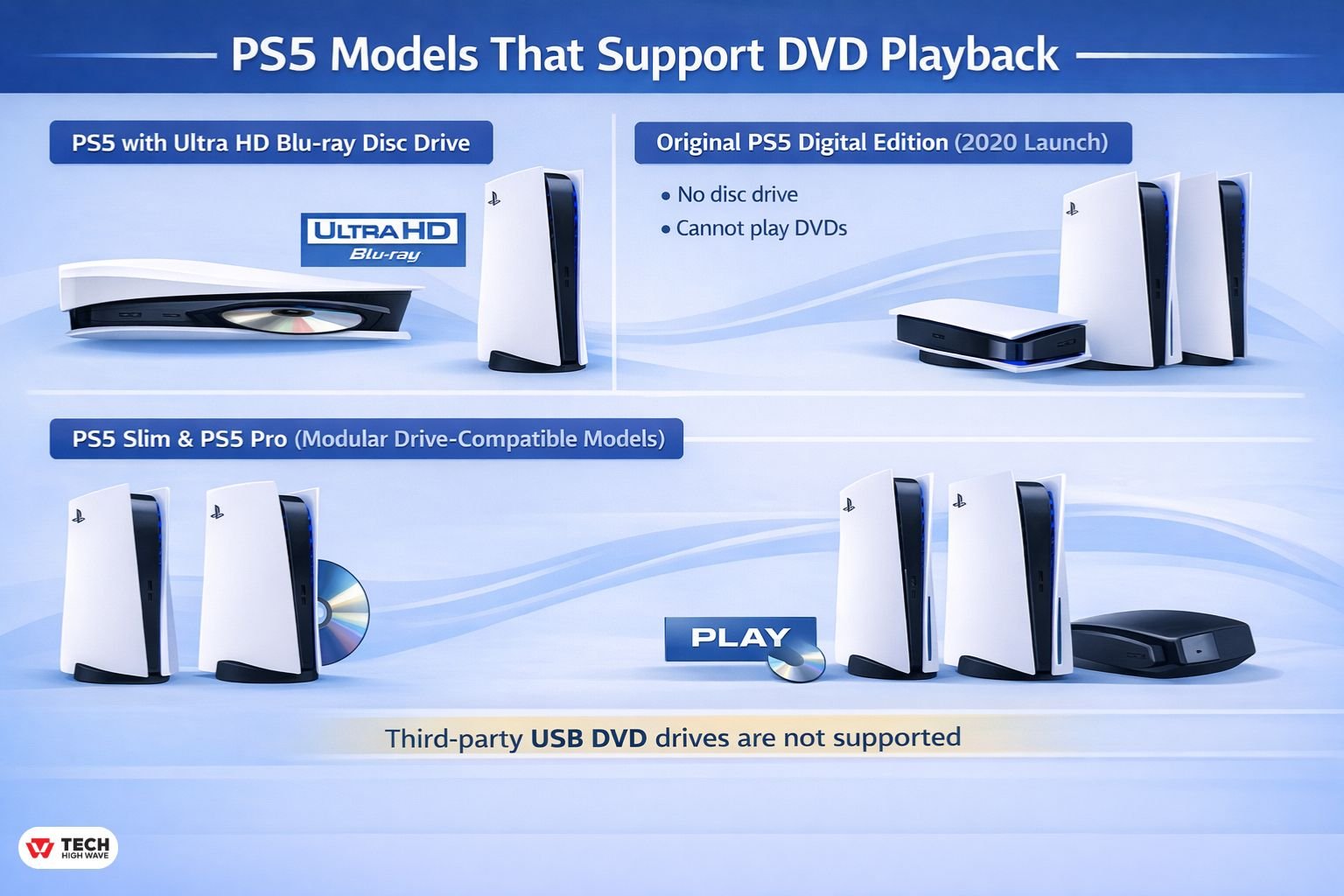
PS5 Models That Support DVD Playback
There are multiple versions of the PlayStation 5.
-
PS5 with Ultra HD Blu-ray Disc Drive
Supports:
- DVD-Video discs
- Blu-ray discs
- Ultra HD Blu-ray
- Physical PS5 and PS4 game discs
-
Original PS5 Digital Edition (2020 Launch)
- No disc drive
- Cannot be upgraded
- Cannot play DVDs
-
PS5 Slim & PS5 Pro (Modular Drive-Compatible Models)
Certain newer Slim and Pro models support an official detachable disc drive accessory.
If your model supports the modular drive, you can purchase the official accessory separately and enable:
- DVD playback
- Blu-ray playback
- Ultra HD Blu-ray playback
- Physical game discs
Third-party USB DVD drives are not supported.
Modular Disc Drive (2026 Update)
In 2026, the distinction is no longer just “Disc vs Digital.”
Some Slim and Pro Digital models allow you to attach an official detachable disc drive (sold separately, typically around $79.99).
Important Distinction
- Original 2020 Digital Edition → ❌ Cannot add a disc drive
- Compatible Slim/Pro Digital models → ✅ Can add official drive
- Generic USB DVD drives → ❌ Not compatible
Once installed and activated, the console functions like a standard disc model.
This adds flexibility that didn’t exist at launch.
How DVD Playback Works on PS5
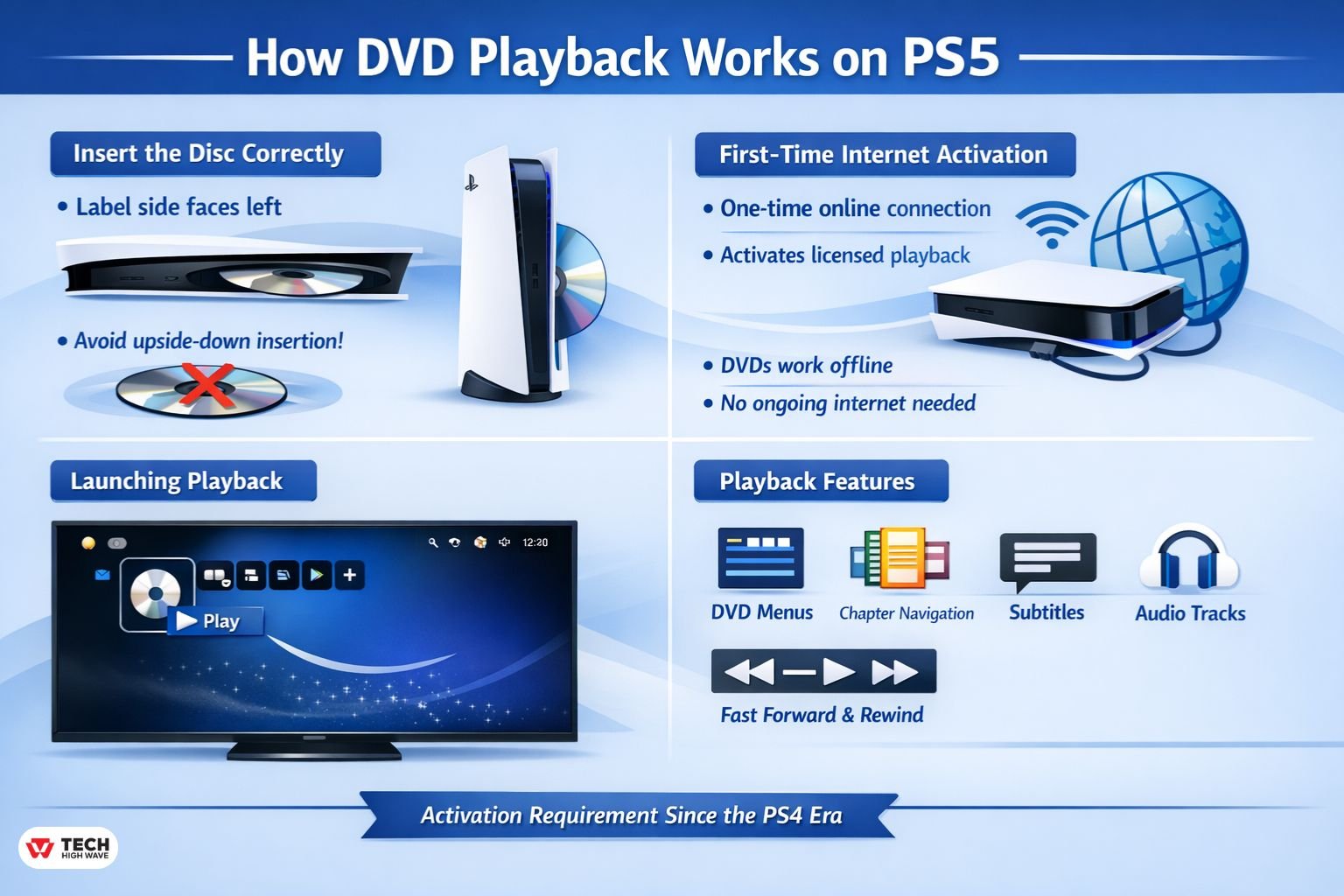
DVD playback works similarly to a standalone Blu-ray player but requires licensing activation.
-
Insert the Disc Correctly
When the console is vertical, the label side faces left.
The most common issue isn’t region codes — it’s inserting the disc upside down.
-
First-Time Internet Activation
The first time you play a DVD or Blu-ray disc, the console may require a one-time internet connection to activate licensed playback components.
After activation:
- DVDs work offline
- No ongoing internet connection required
This requirement has existed since the PlayStation 4 era.
-
Launching Playback
After insertion:
- A disc icon appears on the home screen
- Select it to start playback
Supported features include:
- DVD menus
- Chapter navigation
- Subtitles
- Audio track switching
- Fast forward and rewind
Does PS5 Upscale DVDs?
Standard DVDs are typically 480p.
The PS5 outputs at 1080p or 4K depending on your TV, meaning it upscales the image.
Important:
- Upscaling improves clarity
- It does not create true 4K detail
Ultra HD Blu-ray is required for native 4K resolution.
Supported Disc Formats
The disc-equipped PS5 supports:
- Commercial DVD-Video discs
- Most finalized DVD-R discs
- Most finalized DVD+R discs
- Dual-layer DVDs
Playback may fail if:
- The disc is not finalized
- The disc is scratched or warped
- The disc region does not match the console region
Burned discs are more likely to encounter compatibility issues than commercial releases.
DVD Region Codes Explained
Commercial DVDs use region locking.
Common DVD regions:
- Region 1 – North America
- Region 2 – Europe, Middle East, Japan
- Region 3 – Southeast Asia
- Region 4 – Australia, Latin America
- Region 5 – Russia, Africa
- Region 6 – China
The PS5 follows standard DVD region rules.
PS5 DVD Region Compatibility Matrix
| Console Region | Plays DVD Regions |
| Region 1 PS5 | Region 1 DVDs only |
| Region 2 PS5 | Region 2 DVDs only |
| Region 3 PS5 | Region 3 DVDs only |
| Region 4 PS5 | Region 4 DVDs only |
Important distinctions:
- Game discs are region-free
- DVDs are region-locked
- Blu-ray uses A/B/C regions (separate system)
Games being region-free surprises many users. DVDs are not.
Is the PS5 Region-Free?
- Games → Yes
- DVDs → No
- Blu-ray → No
The console’s region is tied to where it was purchased.
You cannot officially change the DVD region on a PS5.
How to Check Your PS5 Region
To verify region compatibility:
- Check the original packaging
- Confirm the country of purchase
- Look at the DVD packaging region symbol
- Match both regions before assuming the disc is defective
Imported DVDs frequently fail due to region mismatch.
PS5 Disc Model vs Digital Edition (Comparison)
| Feature | PS5 Disc Model | Digital (Non-Modular) | Modular Digital (With Drive Attached) |
| DVD Playback | Yes | No | Yes |
| Blu-ray Playback | Yes | No | Yes |
| Physical Games | Yes | No | Yes |
| Digital Downloads | Yes | Yes | Yes |
| Audio CDs | No | No | No |
PS5 vs Standalone DVD Player
| Feature | PS5 Disc Model | Basic DVD Player |
| Gaming | Yes | No |
| Blu-ray Support | Yes | Usually No |
| 4K Output | Yes (upscaled) | Rare |
| Noise Level | Moderate | Low |
| Price | Higher | Low |
If you already own a PS5 with a disc drive, it can replace a DVD player.
If you only need DVD playback, a standalone unit may be cheaper.
Does Playing DVDs Wear Out the Disc Drive?
Optical drives contain mechanical components.
Occasional DVD playback causes minimal wear. Heavy daily disc usage over many years may reduce lifespan.
Using DVDs does not harm the console under normal use.
Why Your PS5 Won’t Read a DVD
Check this in order:
- Confirm you have a disc-equipped or modular-drive model
- Verify disc orientation
- Check DVD region compatibility
- Inspect for scratches
- Confirm burned discs are finalized
- Update system firmware
If games work but DVDs don’t, region mismatch is often the cause.
Quick DVD Troubleshooting Table
| Problem | Likely Cause | Fix |
| Disc not detected | Digital Edition (non-modular) | Requires disc model |
| “Cannot play this disc” | Region mismatch | Check region code |
| Disc spins then stops | Scratched disc | Clean or replace |
| DVD-R won’t play | Not finalized | Finalize disc |
| Black screen | HDCP issue | Connect directly to TV |
| Reads games but not DVDs | Region or firmware issue | Verify region / update system |
Black Screen When Playing DVD?
Possible causes:
- HDCP handshake issue
- HDMI splitter incompatibility
- AV receiver interference
- Outdated TV firmware
Fix steps:
- Connect PS5 directly to TV
- Remove HDMI splitters
- Restart console
- Update system softwar
Pre-Purchase Checklist
Before choosing your PS5 model, confirm:
- Do you own DVDs?
- Do you buy physical games?
- Do you resell games?
- Do you need Blu-ray playback?
- Are your DVDs from another region?
If any answer is yes, a disc-equipped or modular-compatible model is safer.
2026 Outlook: The Future of DVD Playback on PS5
Streaming continues to dominate home media consumption, but physical libraries remain common.
Key trends:
- Modular hardware increases flexibility
- Blu-ray remains more common than DVD
- DVD production continues declining in some regions
- Legacy collections remain fully usable
For households with existing DVD libraries, a disc-equipped or modular-compatible PlayStation 5 remains a practical all-in-one solution.
Also Check: Can I Connect AirPods to PS5? The Real Deal, Without the Confusion
Frequently Asked Questions
Q1: Can you play DVDs on PS5 without internet?
Yes. A one-time activation may be required initially, but playback works offline afterward.
Q2: Can you change the PS5 DVD region?
No. DVD region is tied to the console hardware region.
Q3: Can you play DVDs on PS5 Slim?
Yes, if the Slim model has a built-in disc drive or an official detachable drive attached.
Q4: Can you add a disc drive to PS5 Digital?
Only compatible Slim or Pro Digital models support the official detachable disc drive. Original 2020 Digital Editions cannot be upgraded.
Q5: Can you play DVDs on PS5 using USB?
No. Commercial DVD movies must be read through the optical drive.
Q6: Can the PS5 play CDs?
No. Audio CD playback is not supported on any model.
Final Answer
Yes — your play DVDs on your ps5 if your console has a disc drive or supports the official modular disc drive accessory.
Compatibility depends on:
- Hardware model
- Region code
- Proper disc format
The Digital Edition without drive support cannot play DVDs.
Disc-equipped and modular-compatible models can function as reliable DVD players in 2026.
Also Read: PS5 Wall Mount: What Actually Matters Before You Mount Your PlayStation 5

