
Usernames are rarely random. Once someone adopts one, it tends to follow them—across social networks, forums, developer platforms, marketplaces, and long-forgotten accounts. Over time, that trail becomes an online identity map, whether the user intended it or not.
The WhatsMyName app exists to surface that map.
Used by OSINT researchers, journalists, cybersecurity teams, and privacy professionals, WhatsMyName allows you to check a single username against 600+ public platforms in seconds. Instead of manually testing site after site, the tool automates username discovery and shows where a handle is present, missing, or uncertain.
This guide goes beyond surface-level explanations. You’ll learn how WhatsMyName actually works, how professionals interpret results, how to avoid false positives, whether it’s safe, and how to use it responsibly in 2026—whether you’re investigating, protecting a brand, or auditing your own digital footprint.
What Is the WhatsMyName App?
The WhatsMyName app is an open-source username enumeration and discovery tool built for OSINT (Open-Source Intelligence) work.
At its core, it checks whether a specific username exists on hundreds of websites by querying public profile URLs—not private data, not logins, and not hidden systems.
WhatsMyName isn’t just a website. It’s a living data project.
The tool is maintained by Micah “WebBreacher” Hoffman and the global OSINT community. Its backbone is the continuously updated wmn-dat.json dataset, which defines how usernames are detected across platforms. As of 2026, this dataset tracks 600+ services, each with platform-specific detection logic.
That same dataset powers advanced tools like Maigret, Sherlock, and custom investigator workflows—making WhatsMyName foundational infrastructure for modern username intelligence.
What the WhatsMyName App Is Used For
WhatsMyName is commonly used for:
-
Online identity mapping
-
Username reuse detection
-
Journalistic verification
-
Cybersecurity investigations
-
Brand impersonation monitoring
-
Personal privacy audits
It answers one core question:
“Where does this username exist on the public web?”
It does not determine intent, ownership, or guilt. That interpretation always belongs to the human using the tool.
How WhatsMyName Works (Without the Myths)
WhatsMyName performs passive enumeration.
That means:
-
No login attempts
-
No password testing
-
No private data access
Each platform in the dataset has:
-
A known username URL structure
-
Expected response behavior
-
Rules to detect valid vs invalid profiles
When you run a search, the tool checks whether those public URLs resolve in a way consistent with an existing account.
This is why WhatsMyName is widely accepted in ethical OSINT work—it looks, but doesn’t touch.
How to Use the WhatsMyName App (Step-by-Step)
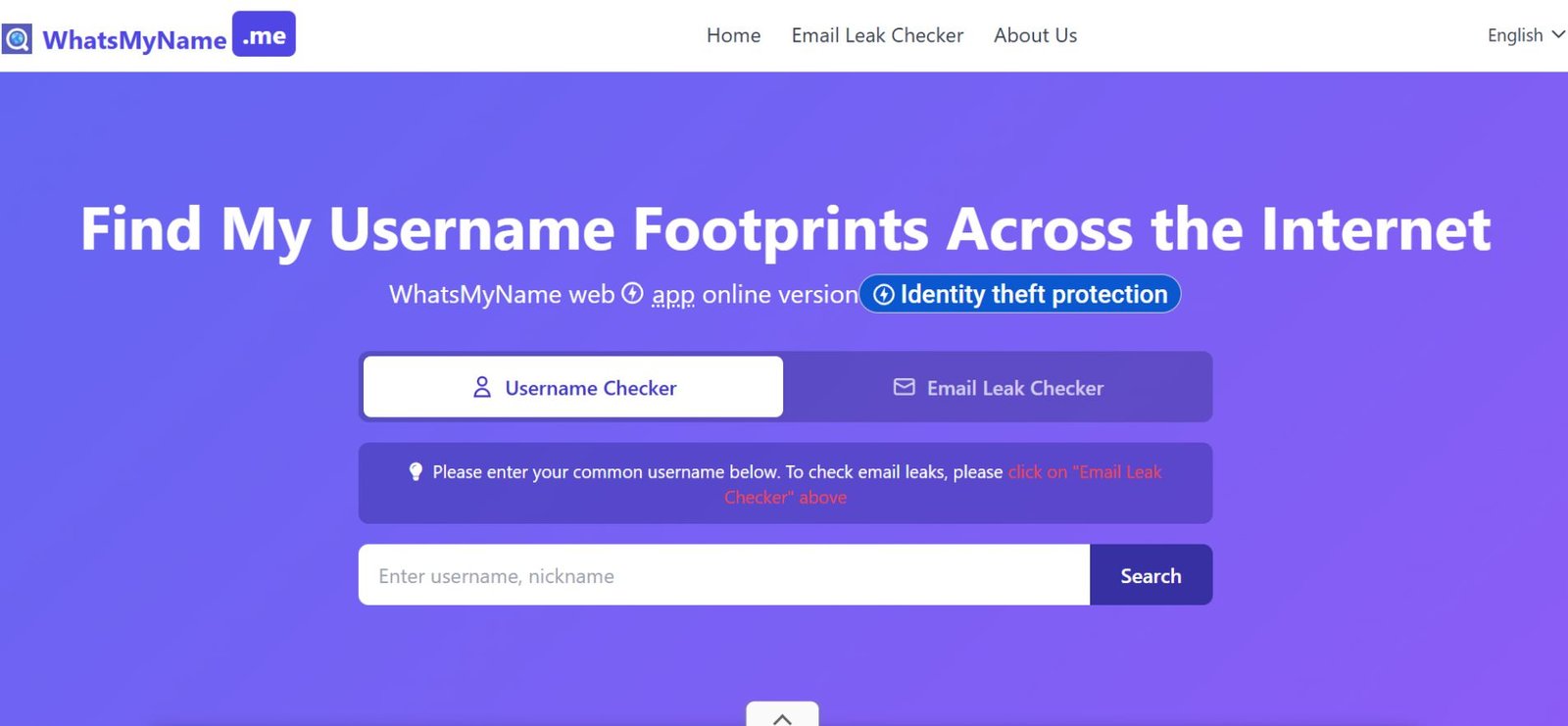
Step 1: Enter the Exact Username
Type the exact handle, including numbers, underscores, or dots.
Even small variations matter.
If you’re unsure, test variants separately rather than assuming platforms normalize usernames the same way.
Step 2: Apply Category Filters
Instead of querying all 600+ platforms at once, narrow the scope:
-
Social platforms → identity confirmation
-
Developer platforms → technical credibility
-
Forums → behavioral patterns
Filtering reduces noise and makes interpretation easier.
Step 3: Run the Search
Initiate the scan and allow the tool to query each platform.
Results are typically returned within seconds.
Step 4: Interpret Results Correctly
Results fall into three categories:
-
Found
-
Not Found
-
Indeterminate
Here’s the critical insight most guides miss:
When a search returns many “Found” results, the work isn’t finished—it’s just starting.
The Pivot Strategy: Beyond the Green Box (2026 Standard)
Finding a username is Step 1, not the conclusion.
Professional OSINT relies on correlation, not existence alone.
Once results appear, pivot to:
-
Profile bio language
-
Avatar reuse
-
Linked accounts
-
Posting timelines
-
Cross-platform consistency
You’re not asking “Does this username exist?”
You’re asking, “Is this the same person across platforms?”
This step separates hobby searches from professional analysis.
False Positives: Why “Found” Doesn’t Always Mean Real
A major limitation of automated tools is false positives.
A platform may show “Found” when:
-
All usernames redirect to a generic page
-
A 404 page returns a
200 OKresponse -
Anti-bot systems spoof valid responses
Best practice:
Always click through and confirm that the page contains user-specific content. If it doesn’t, treat the result as unverified, not confirmed.
Also Read: NippyBox in 2026: What Happened + Safe Alternatives
Is the WhatsMyName App Safe to Use?
Yes—when used responsibly.
WhatsMyName is considered safe because it is:
-
Open source
-
Passive (no interaction with accounts)
-
Free of login requirements
-
Not a data broker
It does not collect emails, personal details, or behavioral data.
Unlike “people search” services that monetize personal information, WhatsMyName is a community-run OSINT project focused on transparency and ethical use.
As of WMN dataset v2026.02, the tool remains compliant with accepted OSINT and investigative standards.
WhatsMyName App Web Login: Do You Need an Account?
No.
There is no official login system for the WhatsMyName app.
If a site claims to require registration or credentials to use WhatsMyName, it should be treated with caution.
WhatsMyName App for Android: Is There a Mobile App?
As of 2026:
-
❌ No official Android app
-
❌ No iOS app
-
✅ Mobile-friendly web interface
Unofficial apps or APKs claiming to be WhatsMyName should be avoided.
Also Check: Tech Trends GFXProjectality: Where Visual Systems Are Quietly Changing Digital Work
WhatsMyName vs Alternatives (2026 Comparison)
| Tool | Platforms | Interface | Best Use Case |
|---|---|---|---|
| WhatsMyName | 600+ | Web | Discovery & verification |
| Sherlock | 300+ | CLI | Automation & scripting |
| Maigret | 500+ | CLI | Large-scale investigations |
| Namechk | ~100 | Web | Brand availability checks |
Professional takeaway:
WhatsMyName is ideal for discovery and validation, while CLI tools are often layered on top for automation.
Advanced Use: JSON Integration for Professionals
For advanced users, the real power lies in the dataset, not the interface.
The wmn-dat.json file can be:
-
Imported into custom scripts
-
Integrated into OSINT pipelines
-
Used for offline investigations
This is why WhatsMyName remains relevant even as platforms change detection behavior—the data evolves with them.
Privacy & the Right to Be Forgotten (2026 Use Case)
In 2026, investigators increasingly use WhatsMyName for defensive OSINT.
People run searches to:
-
Locate forgotten accounts
-
Remove old profiles
-
Reduce identity correlation
-
Support GDPR or CCPA requests
In privacy work, discovery is often the first step toward account deletion, not exposure.
Common Mistakes to Avoid
-
Assuming “Not Found” means an account never existed
-
Treating “Found” as confirmation without verification
-
Ignoring platform-specific behavior
-
Using unofficial clones or fake apps
-
Concluding without correlation
FAQs
Q. What is the WhatsMyName app used for?
The WhatsMyName app searches where a specific username exists across publicly accessible online platforms, including social networks, forums, developer sites, and marketplaces. It maps an online identity footprint using open-source intelligence (OSINT).
Q. Is WhatsMyName free to use?
Yes, WhatsMyName is completely free. It is an open-source OSINT tool maintained by the community and does not require payment, subscriptions, or premium plans.
Q. Is the WhatsMyName app safe?
Yes, the WhatsMyName app is safe to use. It performs only passive checks on public profile URLs, does not attempt logins, and does not access private or restricted data.
Q. Can WhatsMyName find old or inactive usernames?
Yes, WhatsMyName can find old usernames as long as the profile is still publicly visible. This includes inactive, abandoned, or rarely used accounts that remain accessible online.
Q. Is WhatsMyName available for Android or mobile?
No, there is no official WhatsMyName Android or iOS app. The tool is available only as a web-based application, which can be accessed through a mobile browser.
Q. Does WhatsMyName require a login or account?
No, WhatsMyName does not require login credentials, email registration, or account creation. You can use the tool anonymously through its web interface.
Conclusion
The WhatsMyName app is one of the most trusted tools for understanding how usernames travel across the public web. It’s fast, transparent, and built on a dataset maintained by the global OSINT community.
Used correctly, it helps you map digital footprints, verify identities, protect brands, and reduce your own online exposure. Used poorly, it can lead to false assumptions.
The difference isn’t the tool—it’s how you interpret what it shows you.
Related: Technologies HearthssGaming: The 2026 Gaming Tech Framework

