
Commercial truck diagnostics is no longer about reading a single fault code and swapping parts. Modern trucks rely on tightly connected systems—engine, aftertreatment, braking, transmission, and body controls—all communicating at once. When one system fails, the symptoms often appear somewhere else.
JPRO software exists for this exact challenge.
Designed for professional technicians, fleets, and independent diesel repair shops, JPRO diagnostic software provides a single platform to diagnose multiple vehicle systems at the same time, across many truck brands. That’s why searches for JPRO software, JPRO diagnostic software, and how much is JPRO software costs continue to grow in 2025.
This guide explains what JPRO software does, what it covers, how pricing works, and when it makes sense to invest in it. You’ll also see real-world use cases, common mistakes, and how JPRO compares to other diagnostic solutions—without sales hype or exaggerated claims.
What Is JPRO Software?
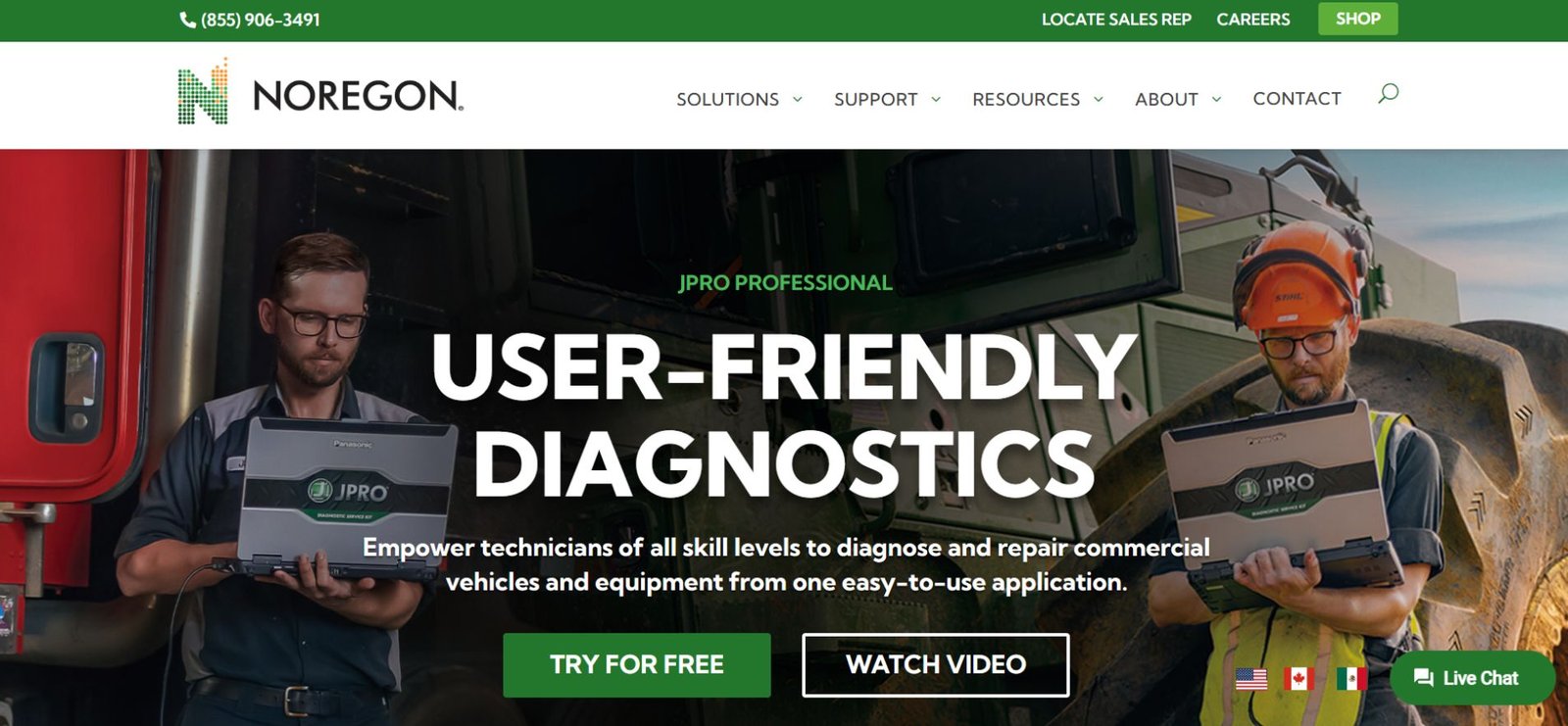
JPRO software is a professional-grade diagnostic platform developed by Noregon Systems for commercial vehicles. It allows technicians to connect to and diagnose multiple electronic control units (ECUs) simultaneously using one interface.
Unlike basic scan tools that focus mainly on engine fault codes, JPRO diagnostic software provides full-vehicle visibility. It’s commonly used in:
-
Independent diesel repair shops
-
Mixed-brand truck fleets
-
Mobile diagnostic services
-
Municipal and vocational fleets
-
Some off-highway equipment operations
The core goal of JPRO is simple: reduce diagnostic time while improving accuracy.
What Systems Does JPRO Diagnostic Software Cover?
One of JPRO’s biggest advantages is system coverage.
Supported Vehicle Systems
-
Engine
-
ABS and braking systems
-
Transmission
-
Aftertreatment (DPF, SCR, regens)
-
Body controllers
-
Instrument cluster
-
Chassis systems
-
Select off-highway equipment
Instead of scanning each module individually, JPRO identifies all available systems at once, helping technicians understand how faults are related.
Key Features of JPRO Software That Matter in Practice
Many diagnostic tools list features. Fewer actually improve workflow. These are the capabilities that technicians consistently rely on.
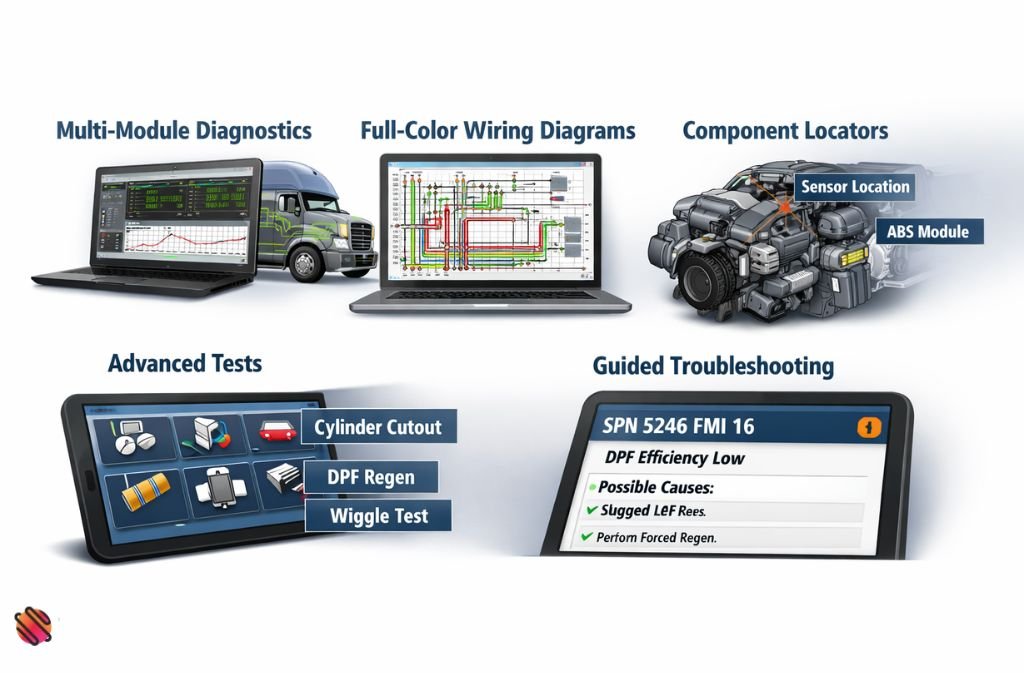
Multi-Module Diagnostics
JPRO connects to multiple ECUs simultaneously, reducing blind spots and speeding up fault isolation.
Full-Color Wiring Diagrams
Includes:
-
Pin-level connector details
-
Harness routing
-
Ground locations
-
Component references
This is especially valuable when diagnosing intermittent electrical issues.
Component Locators
Technicians can quickly find where sensors, modules, and connectors are physically located on the vehicle.
Advanced Tests
Depending on vehicle support:
-
Cylinder cutouts
-
Wiggle tests
-
Forced DPF regens
-
Functional tests
These tools help confirm failures before replacing parts.
Guided Troubleshooting
Fault codes are paired with:
-
Contextual explanations
-
Likely causes
-
Recommended diagnostic paths
This reduces guesswork, especially for less-experienced technicians.
Also Check: Akitsu Mouse Software 2025: Official Setup, Settings & Optimization Guide
Supported Operating Systems & Hardware Requirements (2025)
Before installing JPRO, it’s important to confirm compatibility.
Minimum Requirements
-
Windows 10 or Windows 11
-
At least 4 GB RAM
-
Minimum 20 GB free hard drive space
-
Compatible vehicle communication adapter
-
Internet access for updates and licensing
JPRO does not run natively on macOS.
JPRO Software Download: What’s Actually Free?
This is one of the most searched questions—and one of the most misunderstood.
Can You Download JPRO Software for Free?
Yes, the JPRO software installer can be downloaded without charge.
Can You Use JPRO for Free?
No. A paid license and active annual subscription are required to access diagnostics, wiring diagrams, and testing features.
Searches for “JPRO software download free” often reflect users trying to:
-
Check compatibility
-
Explore features
-
Understand pricing
There is no legitimate free version.
How Much Is JPRO Software in 2025?
JPRO pricing depends on configuration, but it follows a consistent structure.
Typical Cost Components
-
Initial software license
-
Annual software subscription
-
Optional adapter kits
-
Optional training packages
Costs are positioned for professional use, not casual or DIY diagnostics. For shops and fleets, JPRO is usually evaluated based on time saved per diagnostic job, not just purchase price.
Real-World Use Case: Mixed Fleet Diagnostics
Scenario:
A regional fleet operates trucks from multiple manufacturers and experienced recurring aftertreatment issues.
Before JPRO
-
Multiple OEM tools required
-
Long diagnostic cycles
-
High rate of unnecessary part replacements
After Implementing JPRO
-
Single diagnostic interface
-
Faster identification of DPF and SCR-related faults
-
Wiring issues identified before replacing components
Result:
Reduced diagnostic time per truck and fewer repeat repairs.
JPRO vs Other Truck Diagnostic Software
| Feature | JPRO | Generic Scan Tools | OEM Dealer Software |
|---|---|---|---|
| Multi-brand support | ✅ | ⚠️ Limited | ❌ |
| Full wiring diagrams | ✅ | ❌ | ✅ |
| Aftertreatment testing | ✅ | ⚠️ Partial | ✅ |
| Single interface | ✅ | ✅ | ❌ |
| Cost efficiency for fleets | ⚠️ | ✅ | ❌ |
Summary: JPRO fills the gap between basic scanners and brand-specific dealer tools.
Common Mistakes When Using JPRO Software
-
Skipping training
Even a short training session significantly improves diagnostic accuracy. -
Letting subscriptions lapse
Updates affect fault databases and coverage. -
Incorrect adapter selection
Hardware compatibility matters as much as software. -
Using JPRO only as a code reader
The real value is in wiring diagrams, tests, and guided diagnostics.
Also Check: What Is VBOX Software? VirtualBox vs Racelogic Explained (2025)
2025 Trends in Commercial Truck Diagnostics
-
Increasing aftertreatment complexity
-
More electronic interdependence between systems
-
Greater demand for multi-brand diagnostic platforms
-
Shift toward guided diagnostics over raw fault codes
JPRO continues to evolve to meet these trends, focusing on efficiency and clarity rather than just data volume.
FAQs
Q1. What is JPRO software used for?
JPRO software is a professional truck diagnostic tool used to scan and diagnose multiple systems in commercial trucks and heavy-duty vehicles. It provides full visibility into the engine, transmission, braking (ABS), aftertreatment systems, and body controllers, helping technicians identify and fix faults quickly across multi-brand fleets.
Q2. Is JPRO diagnostic software free?
No. While the JPRO software installer can be downloaded for free, full functionality—including vehicle diagnostics, wiring diagrams, and advanced tests—requires a paid license and an active annual subscription.
Q3. How much does JPRO software cost in 2025?
JPRO pricing depends on your configuration and needs. Costs typically include:
-
Initial software license
-
Annual subscription for updates
-
Optional adapter kits or hardware
-
Optional training packages
It is designed for professional repair shops and fleet operators, with ROI measured by reduced diagnostic time rather than purchase price alone.
Q4. Can I download JPRO software for free?
Yes, you can download the installer for free to check compatibility and system requirements, but diagnostic features and full system access require a licensed subscription. There is no legitimate free version for commercial diagnostics.
Q5. Does JPRO software work on Windows 11?
Yes. JPRO supports Windows 10 and Windows 11 as of 2025. Ensure your PC meets the minimum requirements: at least 4 GB RAM, 20 GB free storage, and a compatible vehicle communication adapter.
Q6. What types of vehicles does JPRO support?
JPRO supports most North American medium- and heavy-duty trucks, as well as select off-highway vehicles and vocational equipment. It is ideal for mixed fleets requiring multi-brand diagnostics in one platform.
Q7. Is there a cracked version of JPRO software?
No. Using cracked versions is unsafe, unreliable, and illegal. Only licensed versions provide accurate diagnostics, wiring diagrams, and guided troubleshooting, which are critical for professional use.
Q8. Is JPRO worth it for small repair shops?
For shops servicing multiple truck brands, JPRO can replace several OEM-specific tools, reduce diagnostic time, and improve repair accuracy. Single-brand shops may still prefer OEM software, but mixed-fleet operations benefit most from JPRO’s comprehensive coverage.
Conclusion
JPRO software is built for professional truck diagnostics—not quick scans or casual troubleshooting. Its value comes from multi-system visibility, guided diagnostics, and time savings, especially in mixed-brand environments.
For fleets and repair shops dealing with complex electronic systems in 2025, JPRO offers a practical balance between coverage and efficiency. When paired with proper training and regular updates, it becomes a reliable diagnostic backbone rather than just another tool.
Next step:
Evaluate your vehicle mix, diagnostic volume, and current tool limitations to decide whether JPRO software aligns with your operation.
Related: Best Laser Engraver Software in 2025 (Free vs Paid Compared)
Disclaimer: This article is for informational purposes only. Pricing, features, and compatibility details for JPRO software are based on publicly available information as of 2025 and may change. Always verify with Noregon Systems or authorized distributors before purchasing or using the software. The author is not responsible for any errors, omissions, or outcomes resulting from the use of JPRO software.

